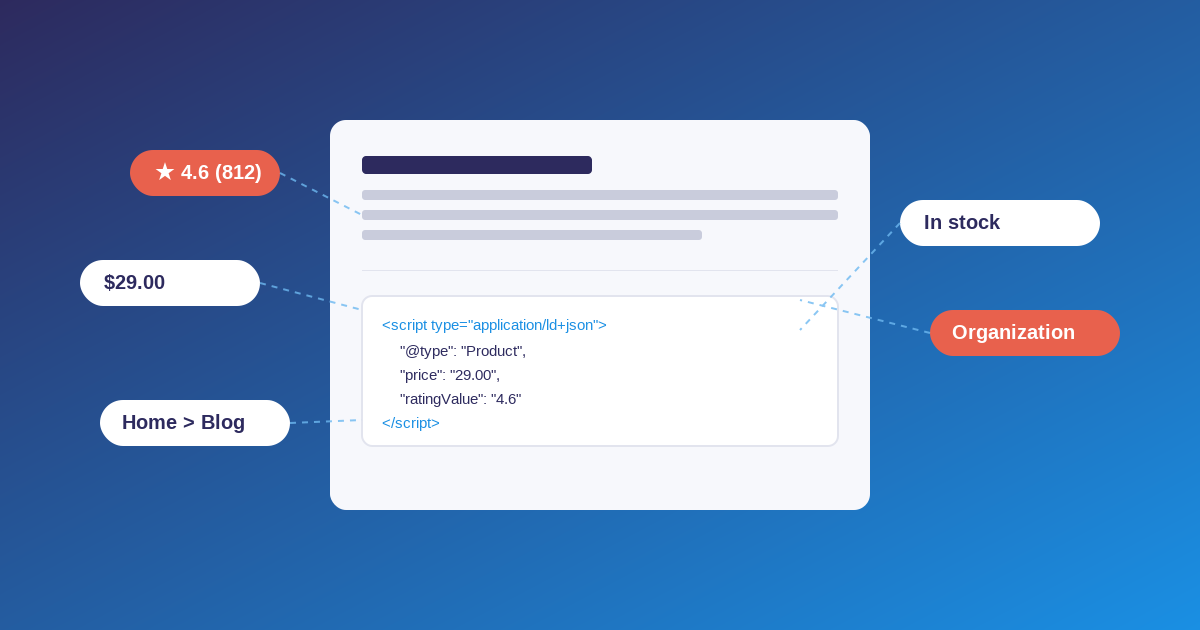
Schema markup is a block of code that tells a search engine exactly what a price, a rating, or a business address means on your page, instead of leaving it to guess from the surrounding text. It will not move your ranking position by itself. What it does is make a page eligible for a richer-looking result, and richer results get clicked more.
In This Guide
- What Does a Rich Result Actually Look Like Next to a Plain One?
- Does Adding Schema Markup Help You Rank Higher?
- What Is Schema Markup, and Why Does It Matter for SEO?
- How Does Schema Markup Actually Work?
- Does Schema Markup Help You Show Up in AI Answers?
- What Are the Most Common Types of Schema Markup?
- Which Schema Type Fits Your Page?
- How Do You Add Schema Markup to Your Website?
- What Are Schema Markup Best Practices?
- How Do You Check Your Website's Current Schema Markup?
- FAQ
What Does a Rich Result Actually Look Like Next to a Plain One?
The easiest way to see the payoff is side by side. In the result below, the first two listings are plain blue links. The third carries a star rating and a review count, pulled directly from review schema markup on that page.
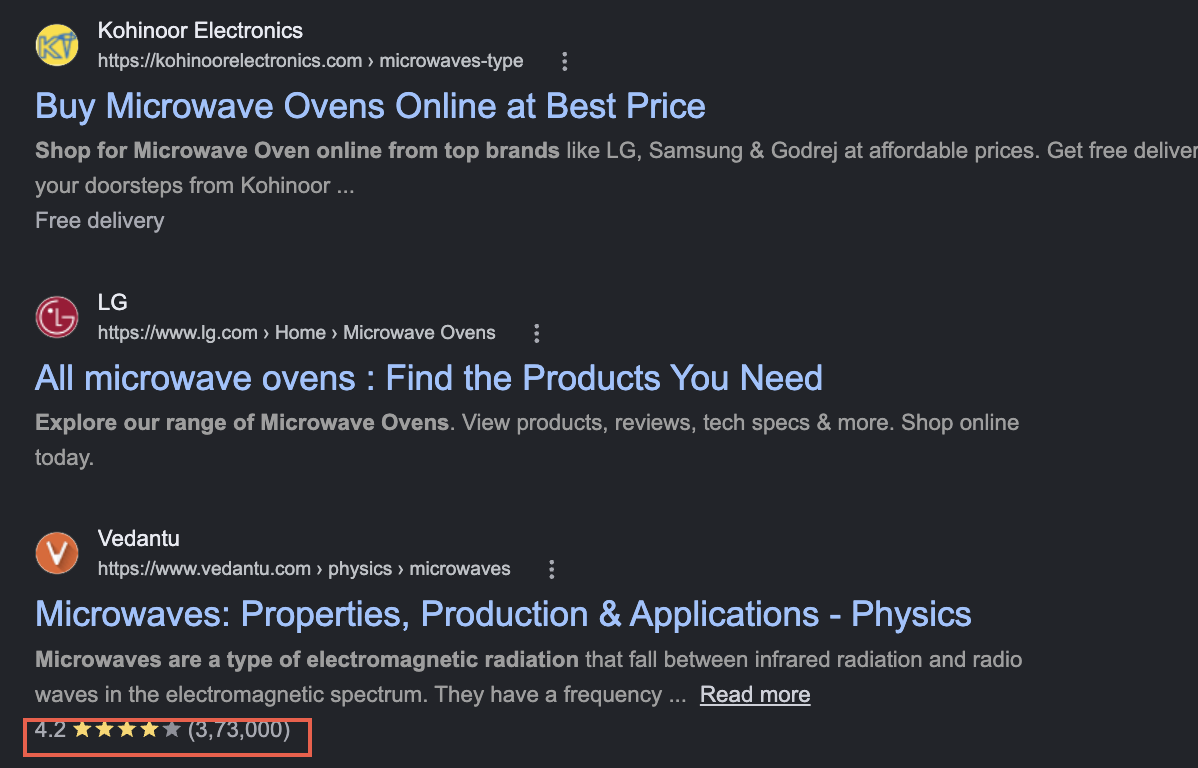
Same search, same format otherwise: one listing has a visible rating, the other two don't.
Does Adding Schema Markup Help You Rank Higher?
No. Google spokespeople have repeated this for years: schema code on a page is not a ranking factor, and structured data doesn't move where you land in the results (Search Engine Journal, checked Nov 24, 2026). What it does instead is make a listing eligible for an enhanced appearance, things like star ratings, prices, or a photo, sitting on top of the same ranking position you'd have had anyway.
That enhanced appearance is where the real payoff sits. A 2020 Milestone Research analysis of more than 4.5 million queries found rich results captured a 58% click-through rate, against 41% for standard blue-link results, and some individual rich-result types climbed as high as 87% (checked Nov 24, 2026). If you're not ranking yet, schema markup is one of the few levers that can lift your click share without lifting your position.
What Is Schema Markup, and Why Does It Matter for SEO?
Schema markup is structured code, written to a shared vocabulary from Schema.org, that labels the entities already on your page: this number is a price, this block is a review, this name is the author. It turns prose a human reads into data a machine can parse without interpreting.
Do Search Engines Already Understand Your Content Without It?
Mostly, yes. Google's models are good enough now to read "$29" in a sentence and know it's a price without a label telling them so. Schema markup isn't there to fix a comprehension gap; it's there to remove ambiguity. When you mark up a review, a rating, or an availability status explicitly, there's no chance of Google misreading it, and that explicit signal is what makes the richer search-result treatment eligible in the first place.
Add it to the page types where it actually earns something: product pages, review pages, recipes, articles, and local business pages. Add it because it helps search engines display a richer result, not because someone told you it will directly improve your ranking or your AI visibility.
How Does Schema Markup Actually Work?
A crawler scans your page's HTML and looks for a script tagged with Schema.org vocabulary. That script explicitly states facts the crawler would otherwise have to infer: a product costs exactly $29, a listing is in stock, a page was written by a named author. Schema.org itself has grown into a large shared vocabulary for this purpose, now listing more than 823 distinct types as of June 2026 (Wikipedia, citing Schema.org, checked Nov 24, 2026), covering everything from a recipe to a local business to a flight reservation.
The explicit, machine-readable version of your content is what lets a search engine categorize a page accurately and decide which rich results it qualifies for. Nothing is hidden from a human visitor; the same JSON-LD block just repeats, in a structured form, facts that are already visible on the page.
Does Schema Markup Help You Show Up in AI Answers?
Google's own position is direct. Its Search Central generative AI optimization guide, last updated July 10, 2026, states there's "no special schema.org markup you need to add" to appear in AI Overviews or AI Mode. There is no secret schema type that unlocks an AI citation.
Structured data still helps indirectly. It removes ambiguity about who the author is, what a product costs, and what the page is actually about, and that is the same clarity an AI model needs to confirm a page before citing it. A 2026 Search Engine Land experiment that compared three near-identical pages (strong schema, weak schema, and none) found schema quality, not just its presence, may play a role in whether a page gets pulled into an AI Overview.
Add schema markup to your product, review, recipe, article, and local business pages because it earns rich results on its own terms. Treat any AI-visibility benefit as a side effect of clarity, not the reason you're doing it.
What Are the Most Common Types of Schema Markup?
Seven types cover the overwhelming majority of what a B2B SaaS site, or any content-driven site, actually needs.
What Does Organization Markup Do?
Organization markup tells search engines your business's name, logo, address, and contact details. It's what feeds a knowledge panel like the one below, built from your own business profile and site data rather than guessed from a snippet of text.
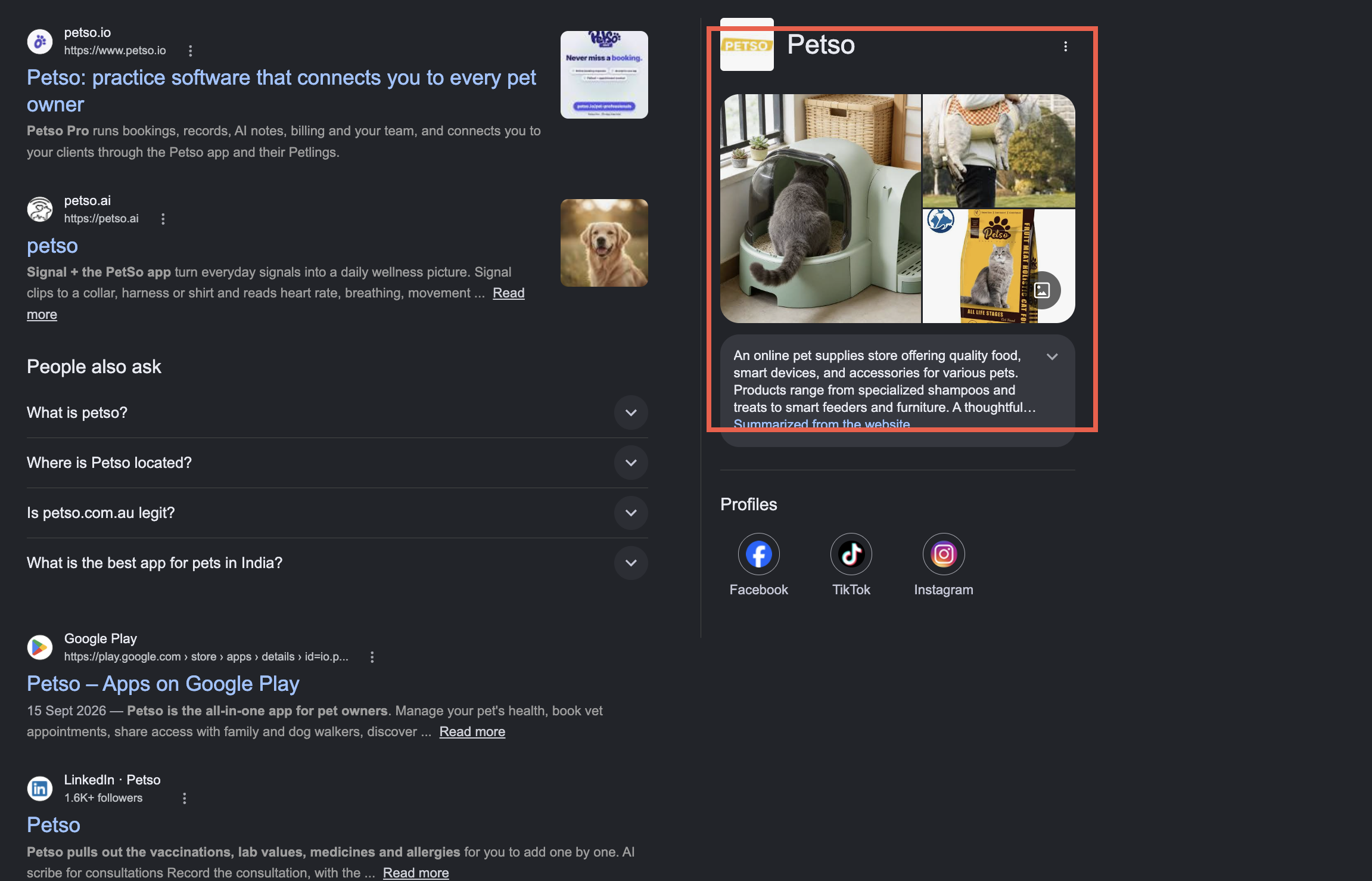
Organization markup is the backbone of a knowledge panel like this one.
What Does Product Snippet Markup Show?
Product snippet markup covers ratings, aggregated reviews, pros and cons, price, and availability for a specific product. It's the difference between a plain link and a result with a visible price and star rating sitting underneath it.

Price, availability, and rating together under one listing, all product snippet fields.
What Does Merchant Listing Markup Add?
Merchant listing markup layers on the commerce details a shopper actually needs before clicking: price range, stock status, shipping, and a return policy. It's a step beyond a basic product snippet, built for listings where the purchase decision happens on the search results page itself.
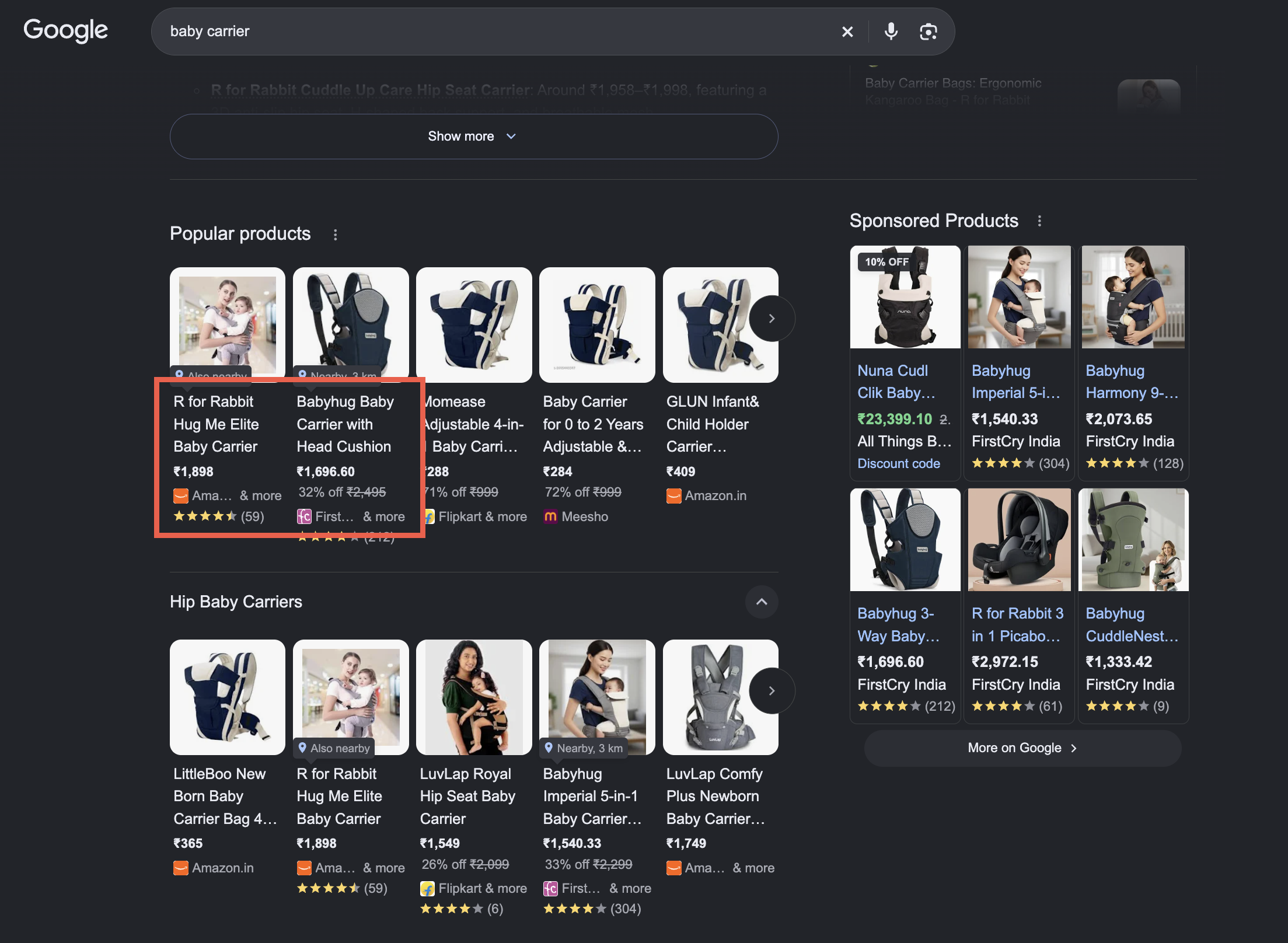
A full shopping grid, each card built from merchant listing data: price, retailer, and rating.
What Does Review Schema Markup Show?
Review schema markup surfaces an aggregate star rating and review count under a listing. It gives a search engine, and an AI system summarizing results, a quantified signal of sentiment instead of an unstructured pile of review text to interpret.
One restriction catches almost everyone the first time. Google's review snippet guidelines call a review "self-serving" when it's about entity A and hosted on entity A's own site, and that kind of review is not eligible for the star rating rich result (Google Search Central, checked Nov 24, 2026). The rule applies specifically to the LocalBusiness and Organization types, so a homepage rating your company as a whole, sourced from your own site, won't qualify even if the reviews are genuine. A product page with reviews about that one specific product is unaffected by this rule.
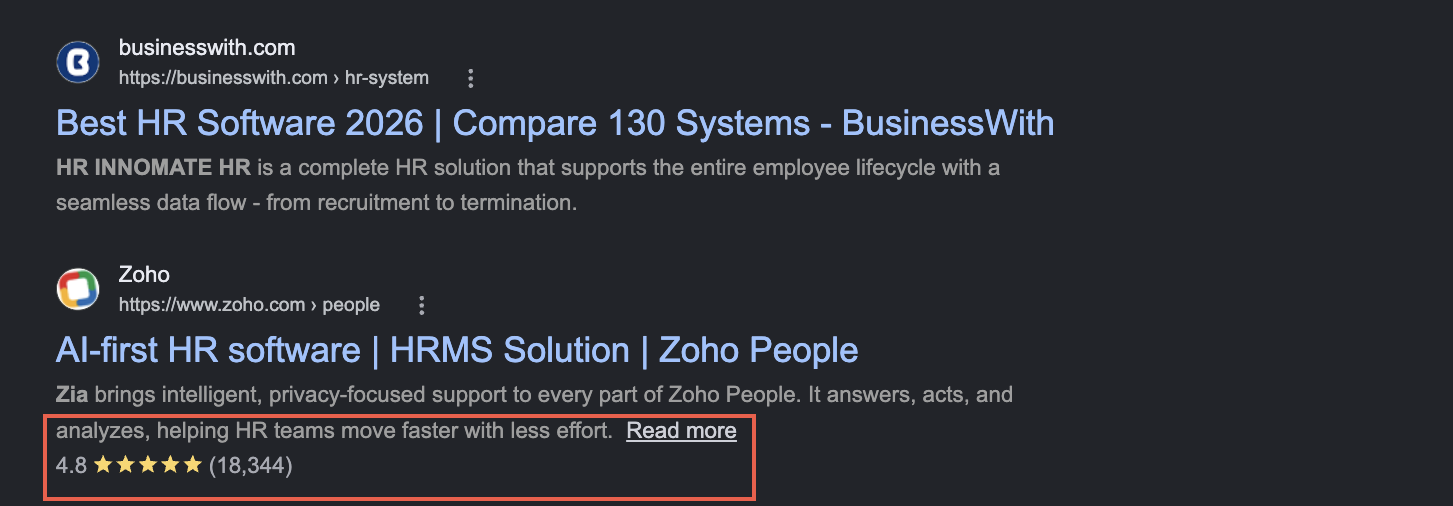
A 4.8-star rating across 18,344 reviews, pulled straight from review schema markup.
What Does Article Markup Do?
Article markup identifies a page as a news piece or blog post, tagging its headline, publish date, author, and lead image. It's what qualifies a story for placement in a Top Stories carousel instead of showing up as a plain blue link.
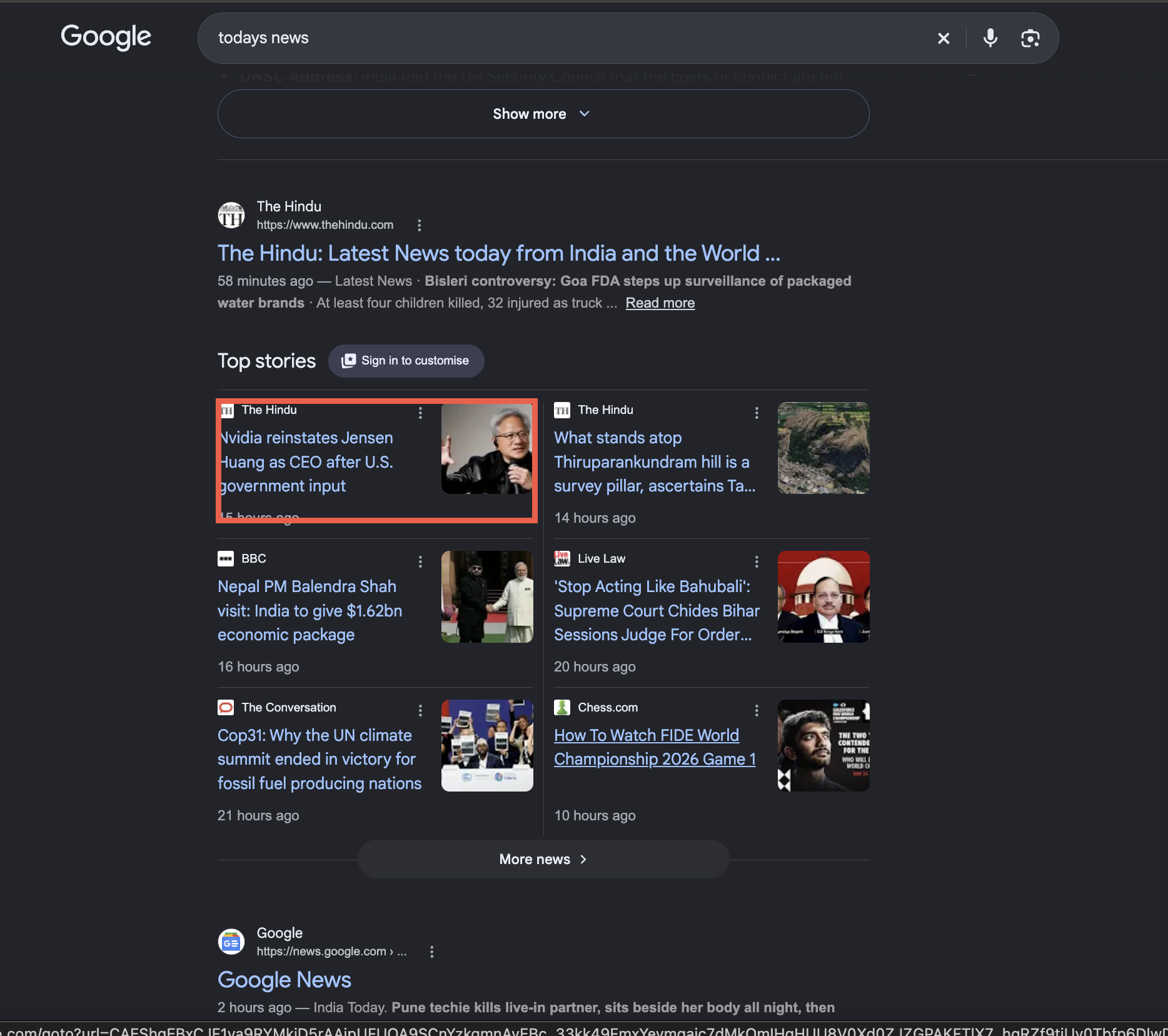
A Top Stories card, built from Article markup: headline, thumbnail, source, and timestamp.
What Does Local Business Markup Show?
Local business markup covers the fields a physical location needs: address, phone number, hours, and price range. It's the data source behind the business panel that appears when someone searches a shop or venue by name.
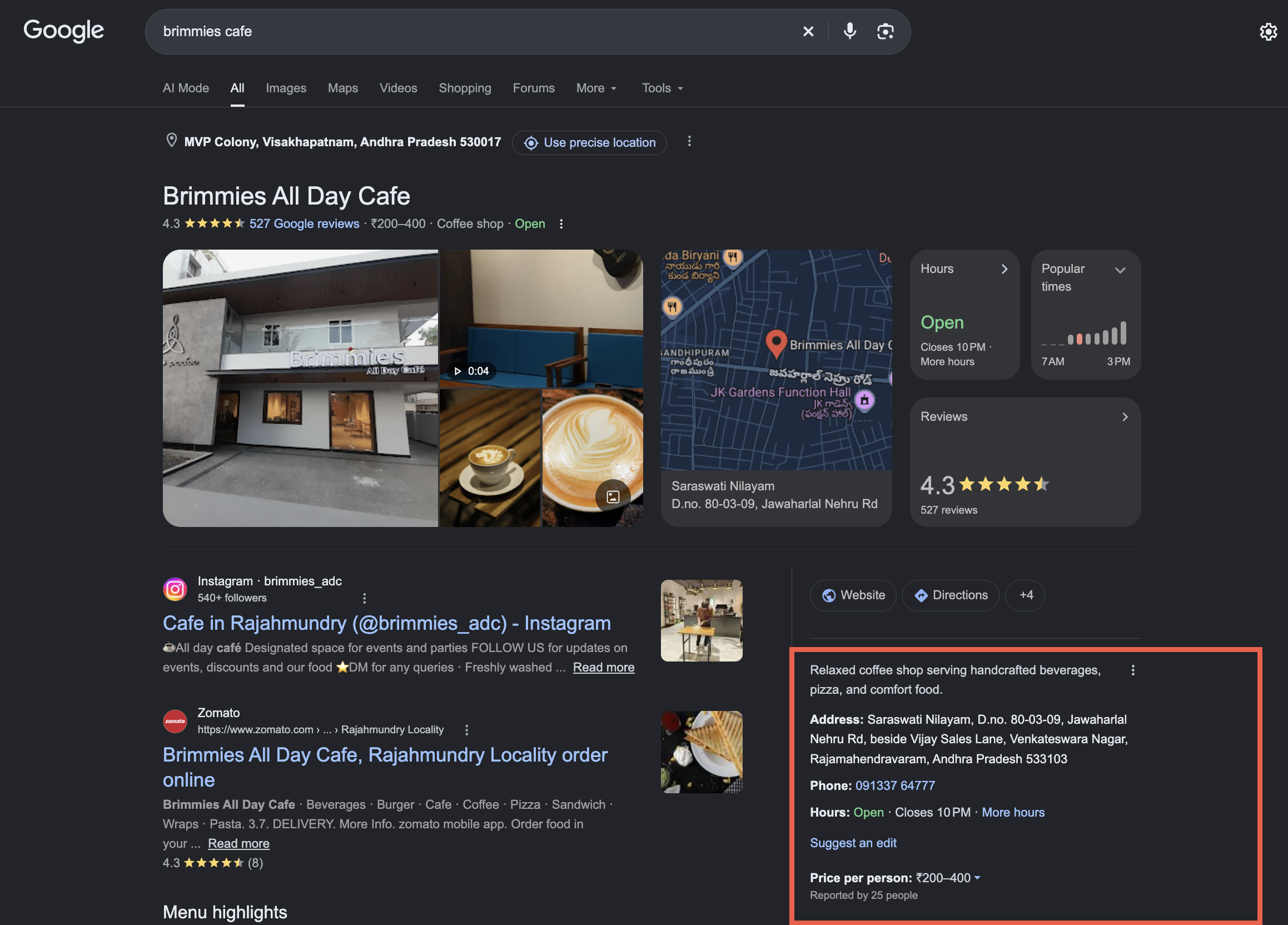
Address, phone number, hours, and price per person: all local business markup fields.
What Does Breadcrumb Markup Look Like?
Breadcrumb markup shows the path from your homepage to the current page, right under the result's title, in place of a long raw URL.
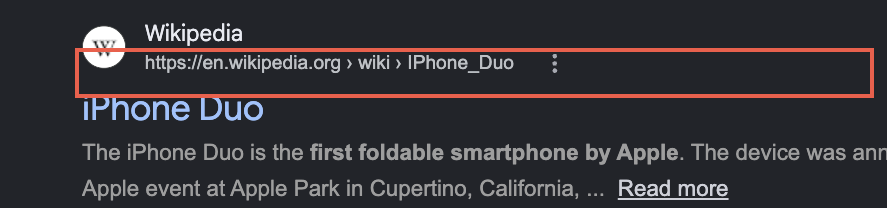
The line under the site name, en.wikipedia.org › wiki › IPhone_Duo, is the breadcrumb trail, not a raw URL.
Here's the JSON-LD that generates a trail like it.
"@context": "https://schema.org",
"@type": "BreadcrumbList",
"itemListElement": [
{ "@type": "ListItem", "position": 1, "name": "Blog", "item": "https://signalux.co/blog/" },
{ "@type": "ListItem", "position": 2, "name": "Schema Markup", "item": "https://signalux.co/blog/what-is-schema-markup-seo/" }
]
}
Which Schema Type Fits Your Page?
Match the type to what the page actually is. Forcing a type onto content that isn't that shape just produces validation errors, not a better result.
| Page type | Best-fit schema type |
|---|---|
| Homepage or About page | Organization |
| Blog post, guide, or news piece | Article |
| Single product page | Product (with Offer) |
| Product page with customer ratings | Product + Review / AggregateRating |
| Online store or marketplace listing | Product + merchant listing properties (price, availability, shipping, returns) |
| Physical shop, cafe, clinic, or office | LocalBusiness (or a more specific subtype) |
| Any page nested more than one level deep | BreadcrumbList |
| A page with a genuine FAQ block | FAQPage |
How Do You Add Schema Markup to Your Website?
- Choose a schema type. Use the table above and pick the one type that actually matches the page: homepage, product page, review page with no direct purchase option, or physical business location.
- Generate the code. You have three practical routes. Write the JSON-LD by hand if you're comfortable with the Schema.org vocabulary. Ask an AI tool to draft it from a URL or a page's content, the way the example below does, then verify every field yourself against the live page, or run the output through one of the many schema validators available, before you add anything to the page. Or, on WordPress, let an SEO plugin like Rank Math or Yoast SEO generate it from fields you're already filling in. Google's own Structured Data Markup Helper still technically works, but a Google staffer has called the tool itself "a bit outdated" (Search Engine Roundtable, checked Nov 24, 2026), so treat it as a last resort, not a first choice.
- Add it to the page. Paste the JSON-LD into a script tag in the page's head or just before the closing body tag. Google's structured data guidelines require the markup to match the visible text on the page exactly; a mismatch is a validation failure, not a shortcut.
- Validate it. Run the page through Google's Rich Results Test to confirm which Google-specific rich results it qualifies for, and through Schema.org's own Schema Markup Validator to check the markup against the full vocabulary, not just Google's supported subset.
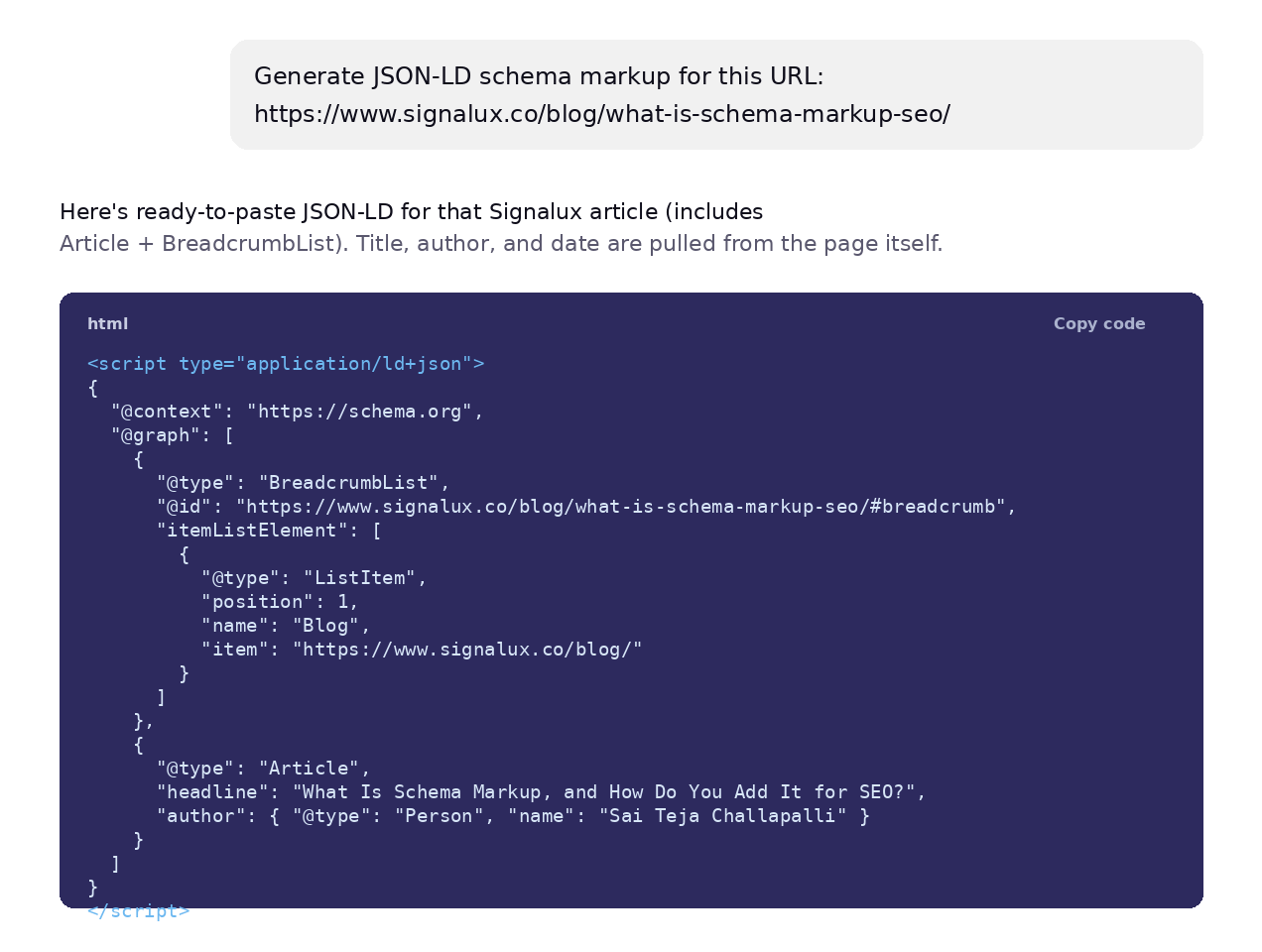
An AI tool drafting JSON-LD from a URL. Useful for a first pass, not a substitute for checking the fields against the live page.
What Are Schema Markup Best Practices?
- Mark up pages that actually qualify for a rich result, not every page on the site.
- Use only schema types that match what's genuinely on the page. A Product type on a page with no price or availability data will fail validation.
- Keep the markup current. A price, a stock status, or a set of hours that changes on the page has to change in the schema too.
- Fill in every recommended property for the type you use, not only the required ones; the recommended fields are usually what unlocks the richer visual treatment.
- Make your schema match your other listings, your Google Business Profile, your app store listing, anywhere the same facts appear.
- Use the most specific type available. A CafeOrCoffeeShop subtype beats a generic LocalBusiness; a specific Product subtype beats a bare Product.
- Validate before and after you publish, and again any time you change the fields the schema depends on.
How Do You Check Your Website's Current Schema Markup?
View the page source on any URL you want to check and search for a script tag with the type application/ld+json. If it's there, you'll see the raw structured data your site is already sending. If it isn't, that page has no schema markup at all, regardless of what rich results you might expect it to earn.
Run the same URL through Google's Rich Results Test next. It will tell you not just whether markup exists, but whether it's complete enough to actually qualify for a rich result, which is a different and more useful question than whether the script tag is merely present.
FAQ
What happens if my schema markup doesn't match what's visible on the page?
Google's structured data guidelines treat this as a direct violation, and a page caught with mismatched markup can lose its rich result entirely or, in repeat cases, face a manual action. Keep the JSON-LD a literal restatement of what a visitor already sees.
Do I need a developer to add schema markup?
Not always. A WordPress site running Rank Math or Yoast SEO can generate Article, Product, and FAQ schema from the page's existing fields without touching code. A custom-built site still needs someone to paste a JSON-LD block into the page.
Does adding schema markup slow down my page?
A JSON-LD block is plain text inside a script tag, so it adds a few hundred bytes at most, not a measurable load-time cost. Nested or duplicated schema from multiple plugins is the more common performance and validation problem.
What's the difference between JSON-LD and microdata?
JSON-LD is a single script block kept separate from your visible HTML, while microdata is written as attributes directly on the tags themselves. Google recommends JSON-LD because it's easier to generate, update, and validate without touching the page's visible markup.
Is FAQ schema still worth adding?
Yes, with a caveat: Google has scaled back which pages qualify for the expandable FAQ rich result, so the markup no longer guarantees that visual treatment. It's still read as a clean, self-contained question-and-answer pair by AI engines, which is reason enough to keep using it.
Can incorrect schema markup hurt my visibility in AI Overviews?
Google hasn't confirmed a direct penalty, but mismatched or spammy structured data undermines the same entity clarity that both Google and AI engines rely on to trust a page. Treat it as a correctness problem, not a growth hack, and most of the risk disappears.
About the Author
Sai Teja Challapalli (Tj) is the founder of Signalux, a B2B SaaS marketing agency, and the builder of Future Self, a Chrome extension for social media focus. He has roughly five years of performance marketing experience across Meta, Google, LinkedIn, Reddit, and Amazon, spanning more than 30 brands, before leaving full-time employment in September 2024 to build his own ventures. He holds a BBA in Marketing and is based in Hyderabad, India.